

Our own equipment
Platform for conferences and hybrid events
Simultaneous interpretation without receivers or a handout desk
Interpretation, sound and platform from one team
Since 2015 we have been organizing interpretation and supplying equipment for Russia's largest forums
- 1100+ events a year
- 45,000 attendees: our single-event record
- 2015 the year we started working at venues
-

- Innoprom
-

-

-

- Army Forum
Contacts of these events' organizers are available on request: every project can be verified
Nobody has to adapt
The platform is designed to be convenient for everyone
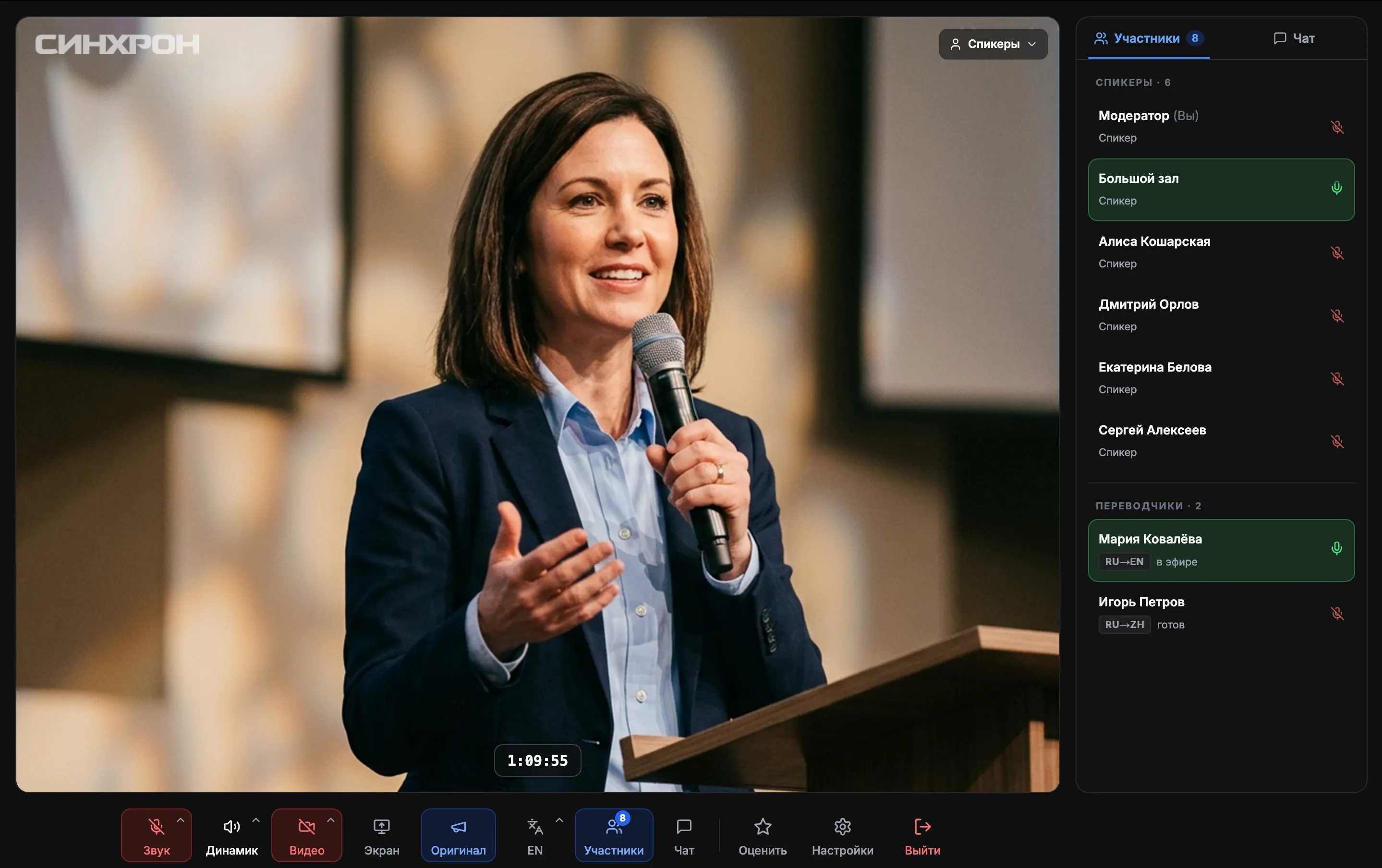
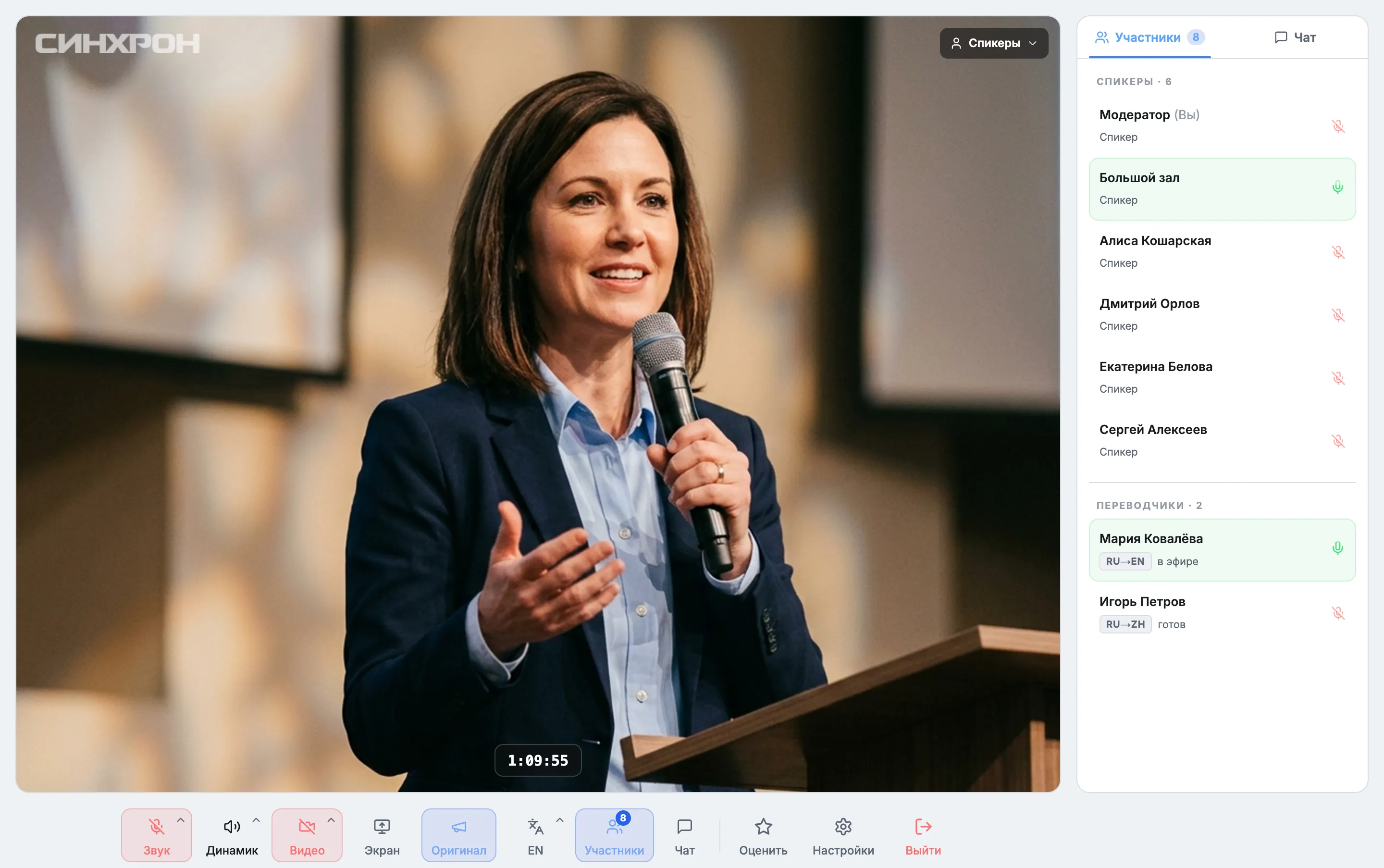
Speaker screen: the broadcast, attendees and interpreters in one window
For listeners
No receivers, no line at the handout desk
Five hundred attendees usually means five hundred receivers: rental, deposit, a handout desk and a count afterwards.
Here a listener scans a QR code and hears the interpretation in their own headphones.
We provide headphones and chargers for the audience.
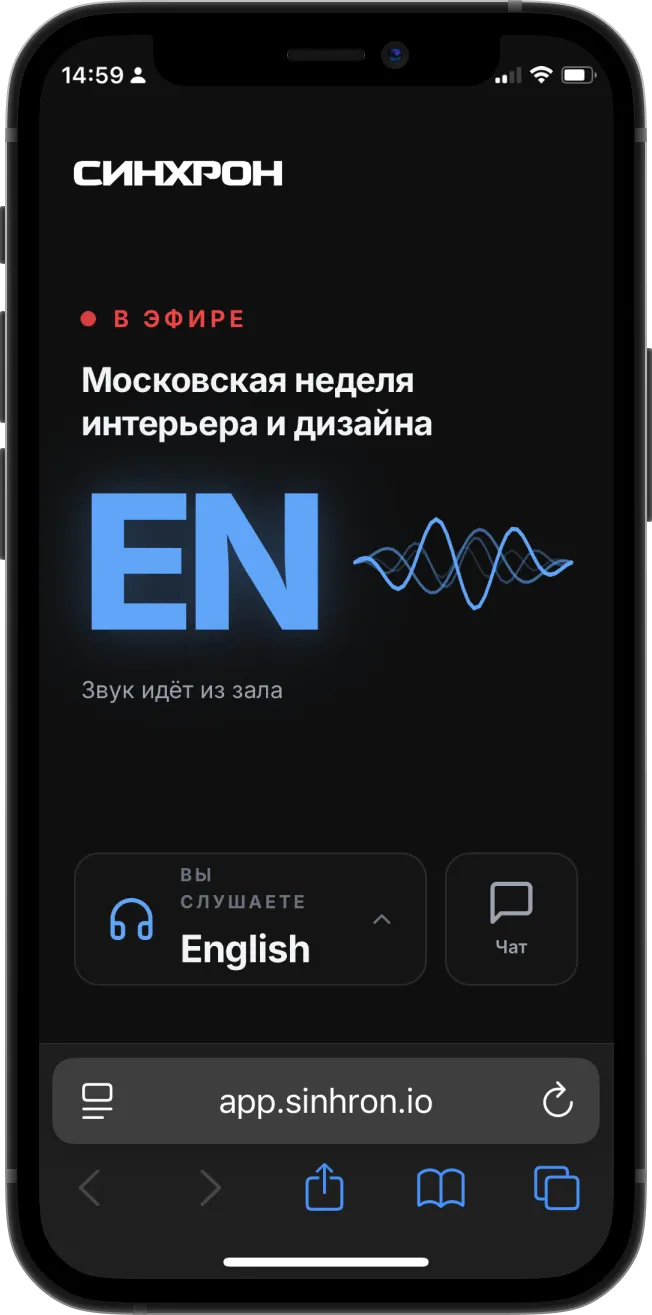
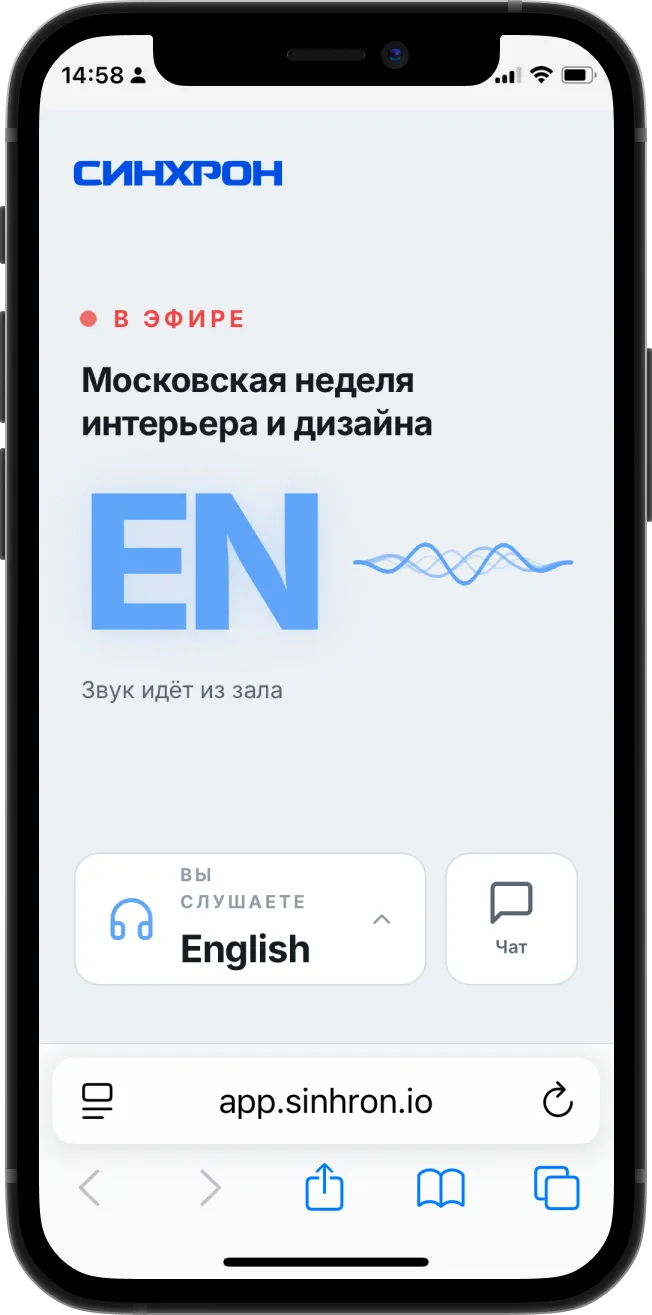
- Listeners don't need an app
- Private access with a 6-digit PIN
For interpreters
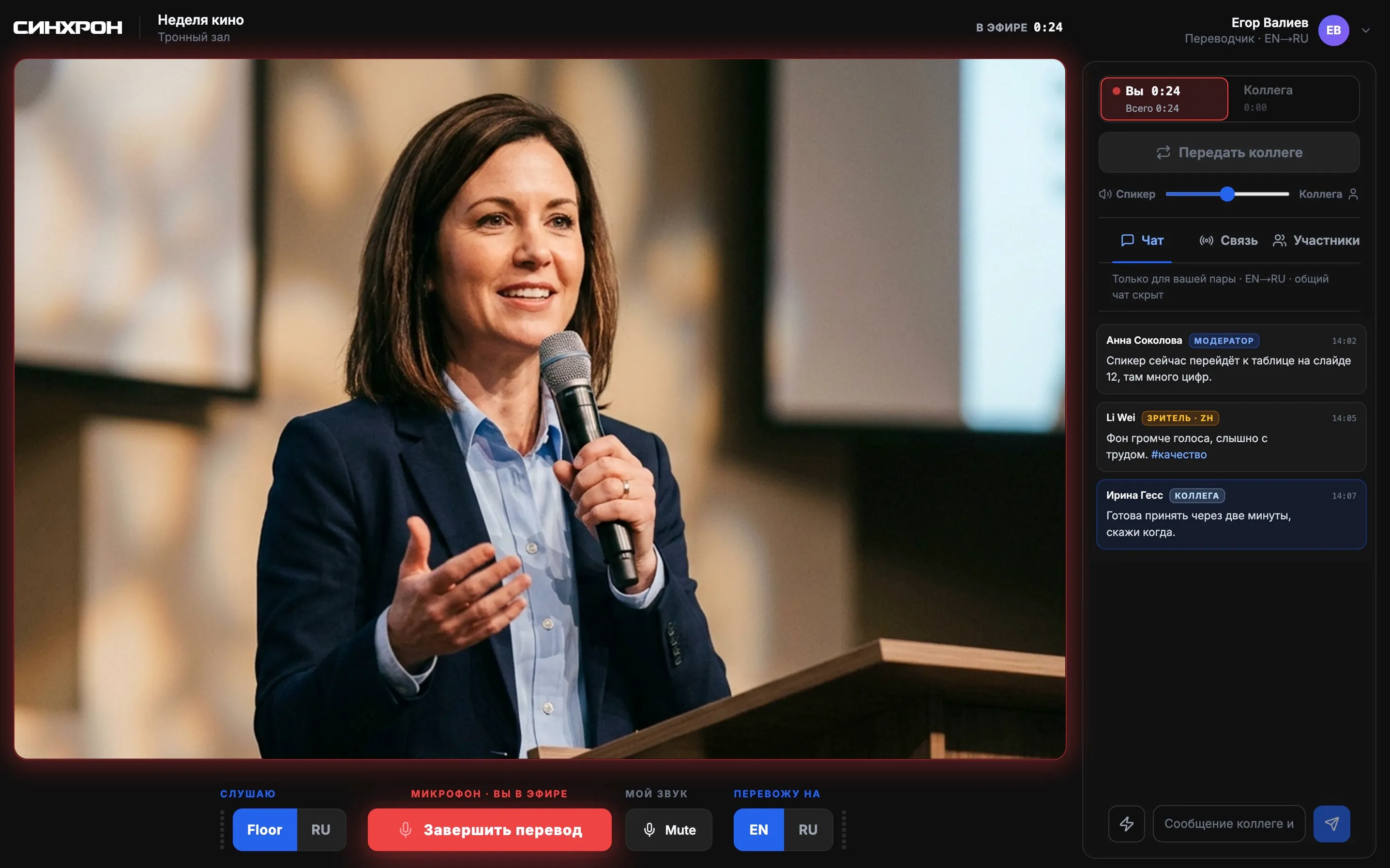
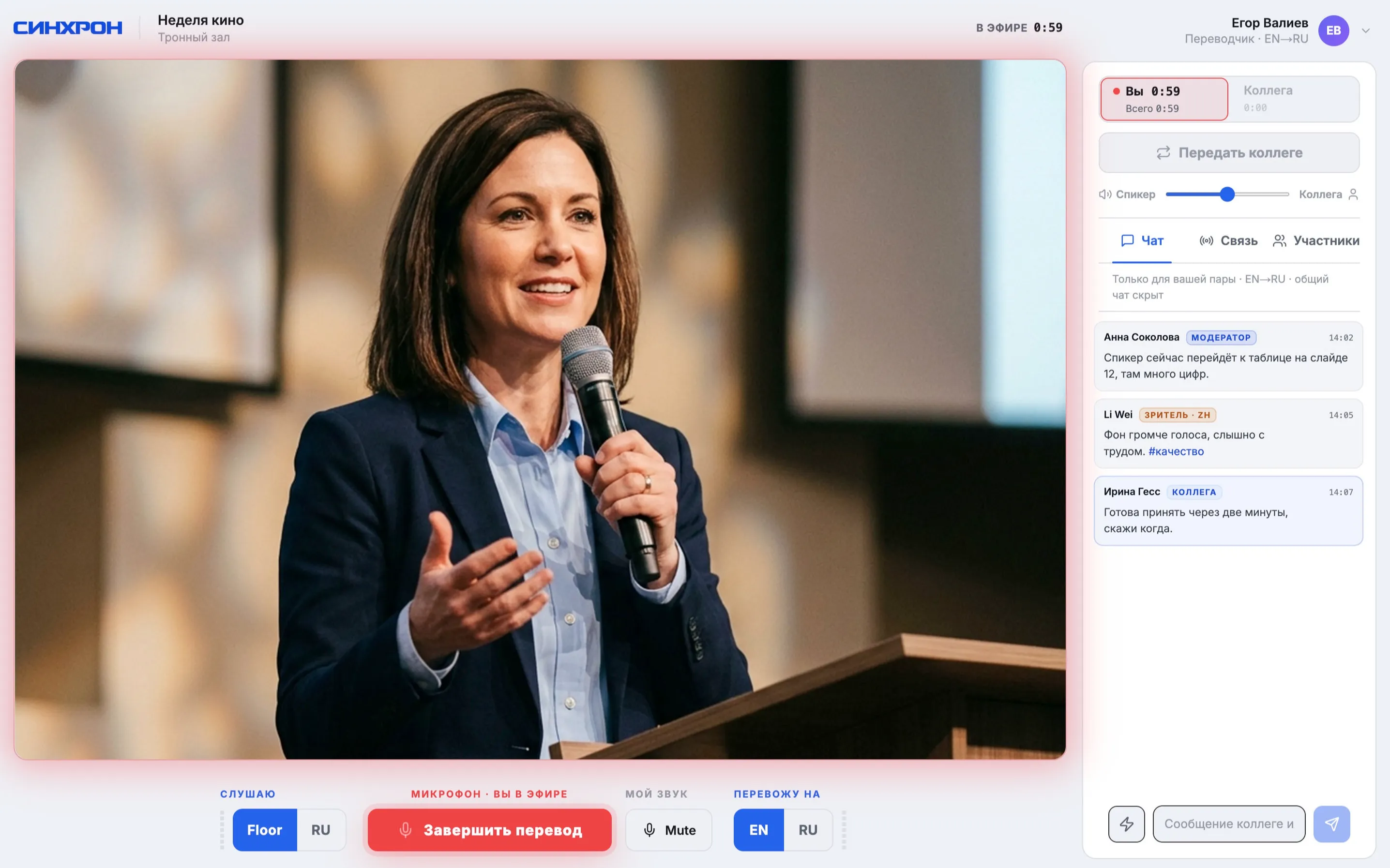
Interpreters enjoy working here, and that builds their loyalty to you
We built the booth together with interpreters and removed everything that got in their way on other platforms. Shifts are handed over with one button, the team chat stays off air, and if something fails, the original audio plays.
- An interpreter who knows the talk's subject
- Rare language pairs via a pivot language
For organizers
No need to mix recordings by language by hand
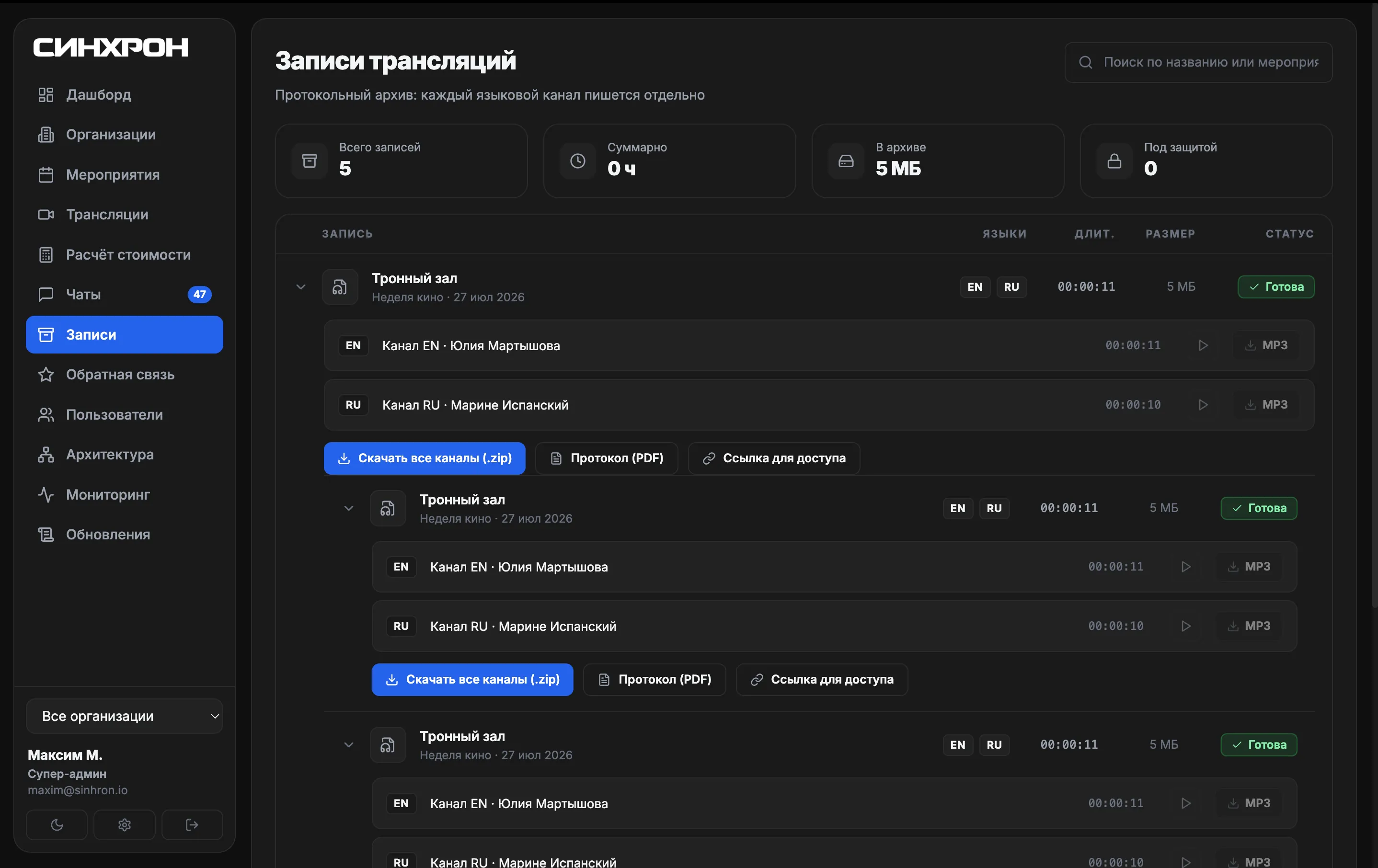
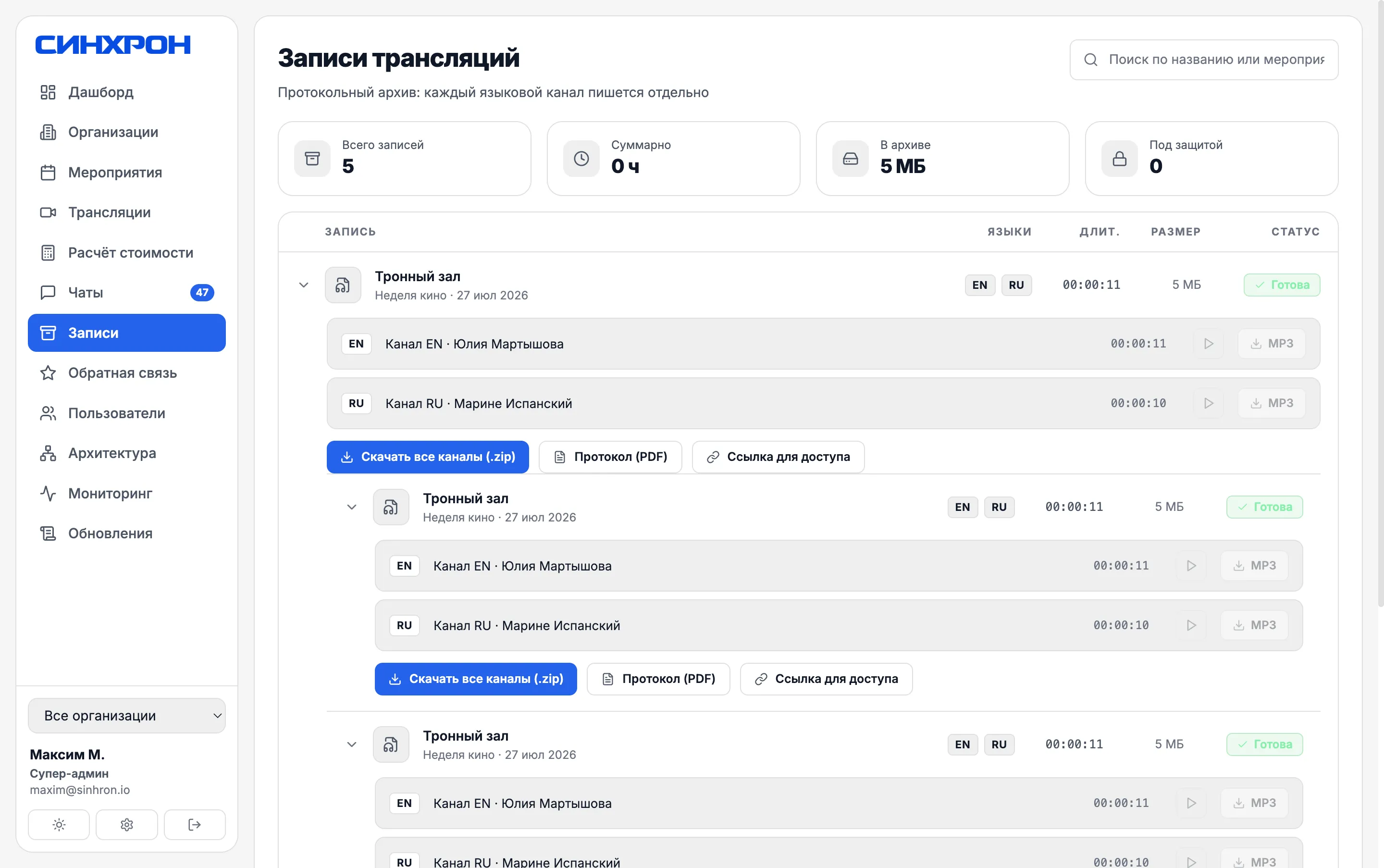
Each language track is saved as a separate file right after the broadcast, so there is nothing to assemble for the minutes.
During the event, one screen shows channels, attendees and a pre-moderated chat.
- Open broadcasts with no sign-up
- Several organizations on one account
For security teams
Approval happens before the event, not on broadcast day
Servers, recordings and backups are located in Russia, not abroad.
Every user action can be traced, and this history cannot be erased.
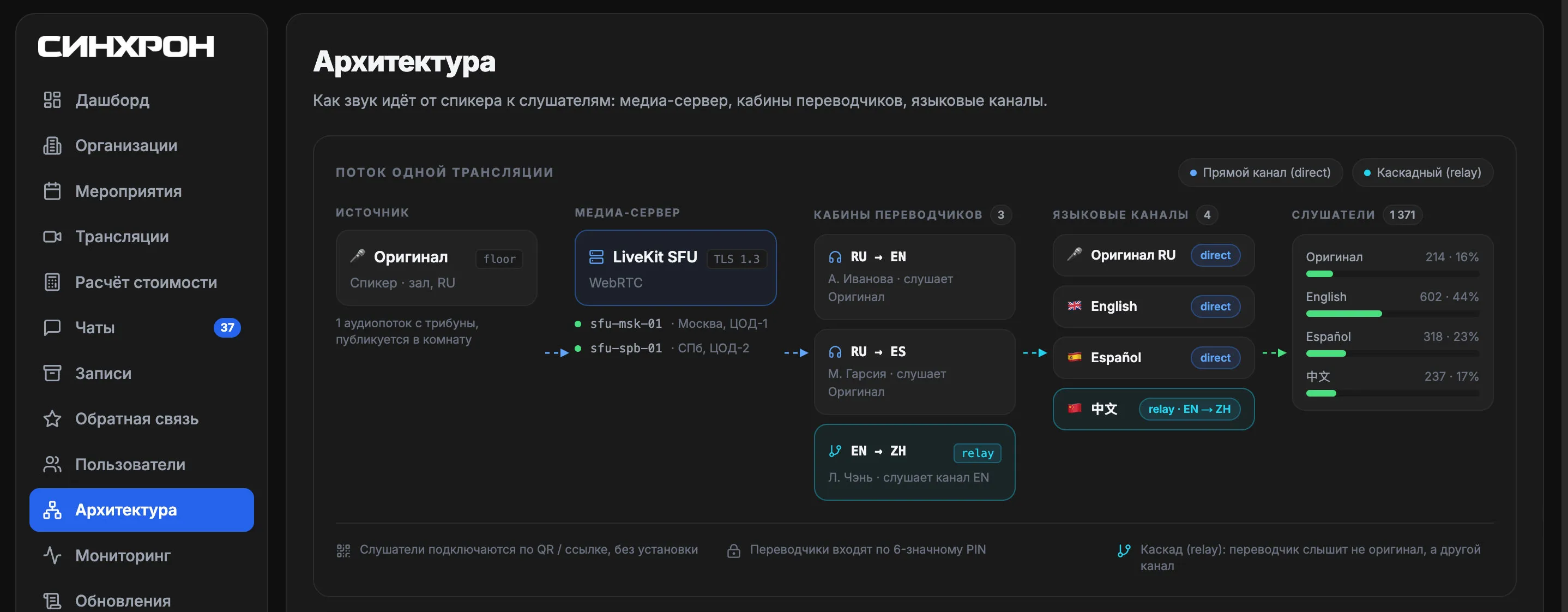
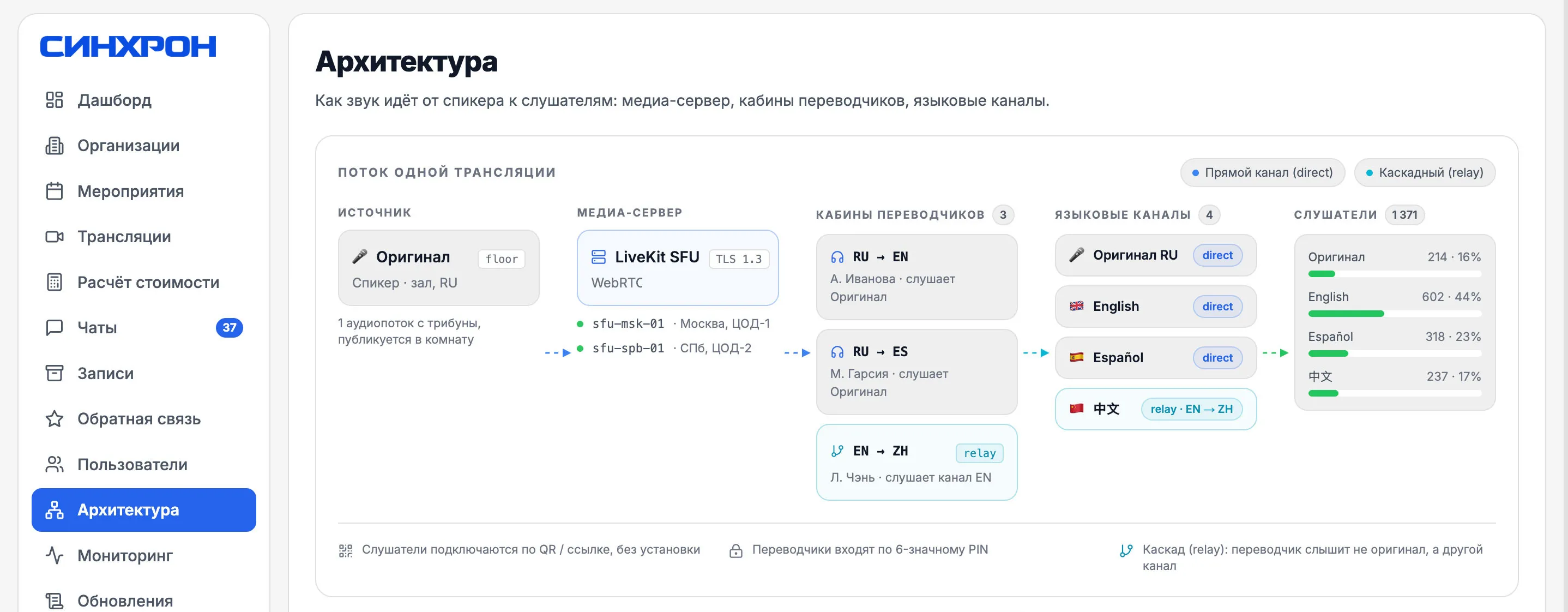
Three questions from your security team
-
Who can sign in
- Users are added by an administrator: self sign-up is not possible
- Passwords are stored encrypted and checked against breach databases
- Password and PIN guessing is blocked automatically
- Secure HTTPS connections only
-
Where the data lives
- Servers, recordings and backups are located in Russia
- Backups are made daily and stored encrypted
- The on-call team is alerted whenever something fails
- A crashed service restarts automatically
-
Who sees what
- Interpreters work only with their own events
- Connecting to someone else's language channel is impossible
- Listeners never hear the team's internal intercom
- You can see who opened recordings and when; this history cannot be erased
Who the platform is for
-
Government agencies
Interagency meetings and closed sessions: servers, recordings and backups stay in Russia
-
Corporations
Shareholder meetings and partner negotiations: the recording access log is append-only and shows who opened them and when
-
Event agencies
Forums and congresses: receivers drop out of the budget, and all your clients work on one account with data isolation
-
International organizations
Multilingual sessions: rare pairs are covered via a pivot language, and interpreter handovers happen with no pause on air
You already have interpretation. Here's what gets easier
The usual way
- Listeners Renting, handing out and collecting receivers
- Online attendees A separate channel is needed
- Multiple clients Each one is set up from scratch
- Interpreter failure Silence until someone switches over
- Recordings Mixed down by hand
With SINHRON
- Listeners Their own phone and a QR code
- Online attendees Hear the same channels as the room
- Multiple clients All on one account
- Interpreter failure The original audio plays instantly
- Recordings Each language as a separate file
No need to swap a proven setup for a new one overnight
One team runs both the platform and the on-site equipment: our technicians work at events every week
That's why we can set the platform up next to your equipment, not instead of it: the receivers stay in place, you compare at your own event and decide based on the results
-
Test connection before the event
We check the room, internet and devices in advance, not on broadcast day. Interpreters and the technician run through the whole scenario
-
We run as a backup system
The platform works in parallel with booths and receivers. If something goes wrong with the platform, the room keeps listening through the receivers
-
Switch based on results
Compare quality and convenience at your own venue. It only makes sense to give up the equipment once you have seen it work for yourself
How much it costs
Price on request, per event day, no subscription fee
Seminar
up to 50 listeners
Trainings, board meetings
Get a quoteConference
up to 200 listeners
Business conferences
Get a quoteForum
up to 500 listeners
Plenary halls and forums
Get a quoteCongress
up to 10,000 listeners
Congresses and international summits
Get a quoteIncluded in every plan
- Listeners join without an app: the QR code opens in the browser
- Interpreters join without sign-up, by PIN
- Relay interpretation with two or more languages
- No limit on interpreters per booth
Discussed separately: branding (logo, color, custom link), a closed environment, on-site technical support and broadcast recording
Frequently asked questions
Do listeners need to install an app?
No. Listeners join in the browser by QR code or link, with no app to install and no sign-up. Public events don't even need a PIN.
How does an interpreter get into a session?
With their own account: email and password, no PIN. The system finds the interpreter's assignment to the right language channel on its own. Self sign-up is disabled: users are created by an administrator.
How many interpreters work per language?
Two as standard, in shifts: while one is on air, the other rests, and the handover takes one button. For short broadcasts one interpreter can be enough. Automatic matching by language and workload tracks shortages per language pair and won't let you create a broadcast without the interpreters it needs.
Are broadcasts open, or is sign-up required?
Either way works. For public events, open access with no PIN and no personal data. For closed events, a trusted call: people who join with a PIN can speak, turn on their camera and share their screen.
How are broadcasts protected from outside access?
HTTPS is mandatory everywhere, and every connection is authenticated. Each language channel is validated on the server: you can't connect to someone else's interpretation channel. The interpreters' intercom is private and never goes on air. Access to protected recordings is logged in an append-only journal.
How does event recording work?
The speech and each language track are recorded as separate files and become available as soon as recording stops. They are stored in the cloud of a Russian provider and can be downloaded track by track in the Recordings section.
Do you support relay interpretation (EN→RU→ZH)?
Yes, relay interpretation through one pivot language: the interpreter works from a colleague's interpreted channel rather than from the original speaker
Can we run several organizations on one platform?
Yes, agencies get multi-tenancy: several organizations work on one platform with full data isolation between them
What if the platform fails during the event?
For your first events we run as a backup system: the platform works in parallel with your booths and receivers. Your usual setup stays in place: if something goes wrong with the platform, the room keeps listening through the receivers. It only makes sense to give up the equipment after you have compared both at your own venue.
What if the venue has poor internet?
We check connectivity at the venue during a test connection before the event, not on the day of the broadcast. For strict corporate networks we use a TURN server that gets around the restrictions. If the connection in the room is unreliable, we'll tell you so honestly in advance.
How is this different from booths and receivers?
Interpreters still need proper working conditions: a booth in the room, or a quiet room with a headset if they connect remotely. Listeners, however, no longer need receivers: they join from their own phone by QR code. Gone are receiver rental and deposits, the handout desk, the line at the entrance and the count after the event. Plus, remote attendees hear the same channels as the room.
How much does it cost?
The price per event day depends on the plan: Seminar (up to 50 listeners), Conference (up to 200) or Forum (up to 500). Extra language channels and on-site technical support are priced separately. We'll send you a quote based on your event's details.